

How to Register at Odin Fortune Casino
The sign-up flow is streamlined for UK players who want to reach the lobby quickly. Preparing details in advance keeps the process under two minutes on desktop or mobile.
What Players Need Before Starting
A short list of essentials keeps registration uninterrupted. Each field matches details that will later appear on KYC documents.
Details required at sign-up
- A valid, active email address for account verification
- A working mobile number for security notifications
- Date of birth — players must be aged 18 or over
- Preferred currency — UK residents should select GBP
- A strong password combining letters, numbers, and symbols
Registration Steps in Order
The full flow runs through seven ordered steps. Personal details entered here must match KYC documents submitted later, so accuracy avoids withdrawal delays.
- Open the Odin Fortune Casino homepage and click the Register button
- Enter a valid email address and create a secure password
- Add date of birth, mobile number, and residential address
- Select GBP as the preferred currency for UK-native banking display
- Read and accept the terms, privacy policy, and responsible gambling rules
- Submit the form and confirm the account via the email verification link
- Log in and visit the cashier to make a first deposit and claim the Odin Fortune welcome bonus
Why the GBP Currency Choice Matters
Selecting GBP at registration triggers native pound sterling display across bonuses, withdrawal ceilings, and deposit minimums. Switching currency later is typically not supported or requires opening a new account, so the choice should be deliberate from the outset.
KYC Verification Documents
Verification runs as a single anti-money-laundering procedure that must complete before the first withdrawal releases. The platform defers the check to that point rather than blocking access at registration. Uploading documents shortly after signup accelerates the first payout.
Documents typically requested
| Document | Purpose | When Requested |
|---|---|---|
| Passport or national ID card | Identity verification | Before first withdrawal |
| Utility bill (dated within 3 months) | Address confirmation | Before first withdrawal |
| Bank or card statement | Source of funds | Larger balances only |
| Selfie with ID card | Liveness check | Sometimes at first cashout |
| Card front photograph (masked) | Payment method verification | Initial deposit check |
Documents upload through the Verification tab in the account dashboard. Approval typically completes within 24 to 48 hours, though busier periods extend the timeline. Rejected uploads usually stem from unreadable images — clear scans process fastest.
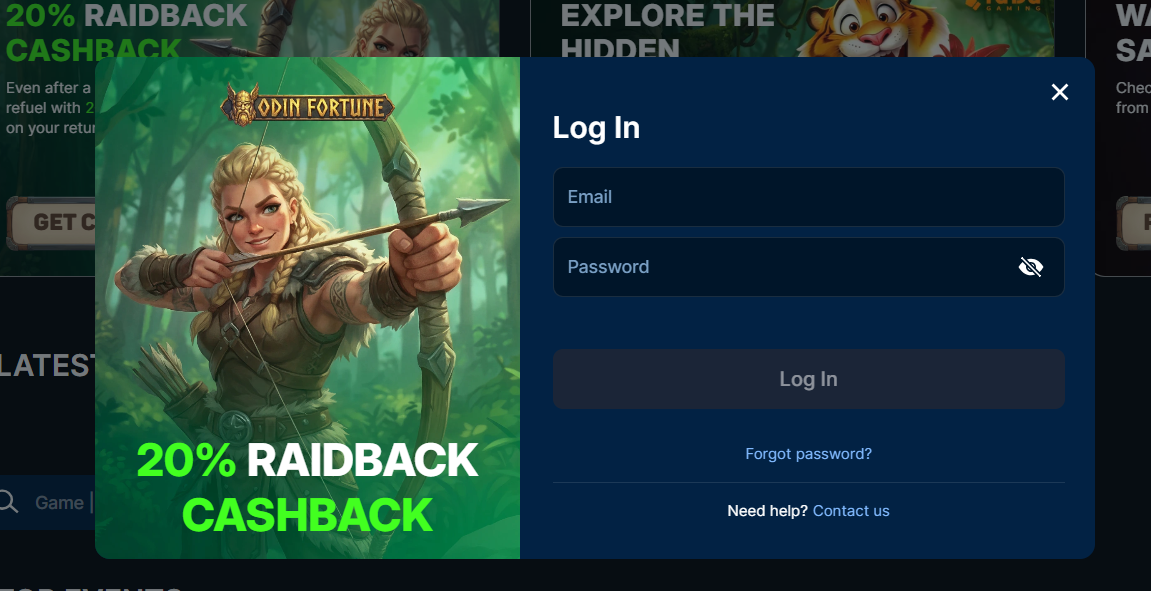
How to Log In to Odin Fortune
The login flow remains identical across desktop and mobile browsers, without a separate app to download or authenticate.
Standard Login Steps
The header login button opens the sign-in form on any page. The sequence stays stable across devices and takes under twenty seconds.
- Open the homepage on desktop or mobile
- Click the Login button located in the top-right header
- Enter the registered email address or username
- Type the account password carefully
- Complete any additional security check that appears
- Confirm to reach the personal account dashboard
Logging In from Mobile Devices
The platform runs through mobile browsers rather than a native application. The login button appears in the same position on iOS and Android. Adding the site to the home screen creates a full-screen shortcut. Full mobile detail sits on the Odin Fortune app page.
| CRITERION | ODIN FORTUNE | CASINACHO ★ |
|---|---|---|
| Game catalogue | 4,000+ titles | 7,500+ titles |
| Live casino | Live dealer tables | 400+ Evolution tables |
| Welcome offer | up to £4,000 + 700 FS | £3,000 + 200 spins |
| Bonus wagering | 40x wagering | Lighter requirements |
| Crypto payouts | Cards & crypto | Fast crypto payouts |
| Sports betting | Full sportsbook | Casino-focused |
Password Recovery Steps
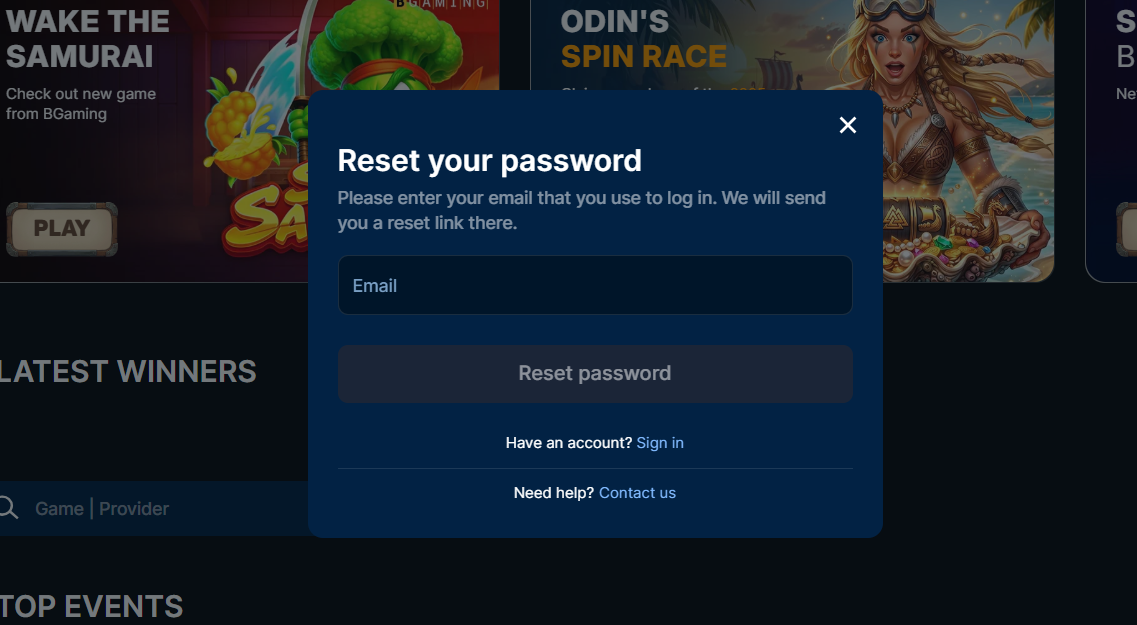
Password reset runs through the registered email address without contacting support. The reset link expires after roughly one hour, so acting promptly avoids repeating the request.
- Click the Forgot Password link visible below the login form
- Enter the email address used during Odin Fortune registration
- Check the inbox and the spam folder for the reset link
- Click the link and set a new secure password within the expiry window
Reset emails typically arrive within a minute. If none appears after ten minutes, live chat is the fastest route to unlock the account.
Account Security Best Practices
Protecting an Odin Fortune Casino account combines site-wide SSL encryption with practical habits that reduce credential-theft risk.
Security habits to adopt from day one
- Use a unique, complex password not reused on any other site
- Enable two-factor authentication if the operator offers it in account settings
- Never share login credentials with anyone, including support-impersonation attempts
- Log out completely when using shared or public devices
- Set deposit and session-time limits as the first action after opening the account
Session-time reminders and deposit ceilings operate from the responsible gambling area. Lower limits take immediate effect; higher limits are subject to a short cool-off period.
Troubleshooting Registration and Login Issues
Registration and login failures typically fall into a handful of predictable patterns. The overview below pairs common issues with the practical fixes that resolve them fastest.
Common issues and solutions
| Issue | Fix |
|---|---|
| Email verification link never arrives | Check the spam folder; if missing, request a resend from the login screen |
| Login credentials rejected repeatedly | Use the Forgot Password flow to reset — old sessions may persist |
| Account shows as locked or suspended | Contact live chat with the registered email; documents may be required |
| Region-not-supported error appears | Confirm the connection is on a UK IP — VPN or proxy connections are usually blocked |
| KYC documents rejected repeatedly | Reupload clearer images with good lighting; ensure the document expiry is valid |
Persistent issues route through live chat with the account email and the exact error message. Screenshots attached to email speed up complex case resolution. The main Odin Fortune Casino page covers the wider platform overview.